Backup & Restore
Save your ncSender setup to one file, and restore it on the same or a new computer. Open Settings → Backup.
Make a Backup
- Open Settings → Backup.
- Tick any extras you want (see below).
- Click Download Backup. On a kiosk, click Save Backup and pick an external drive.
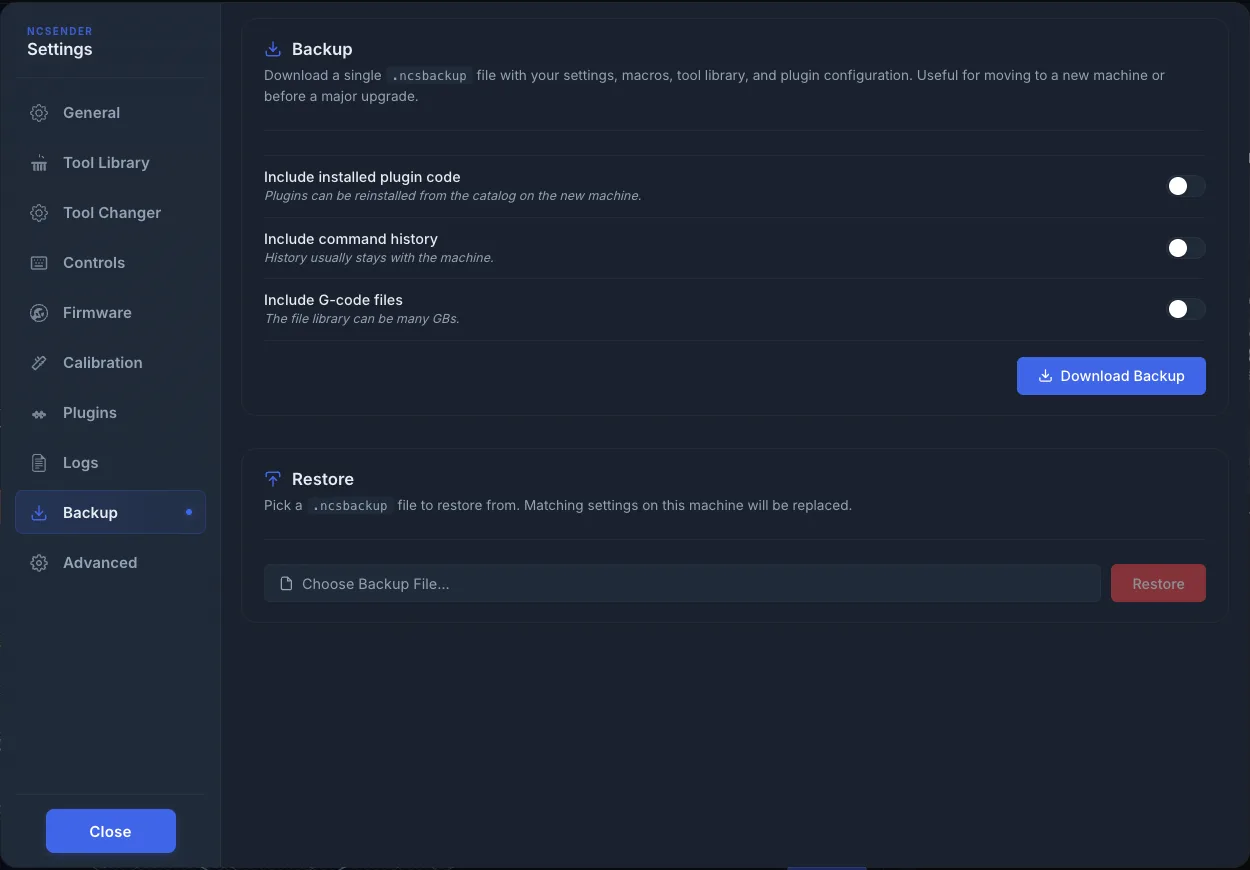
You get one .ncsbackup file. Make one before a big upgrade or moving to a new computer.
What's in It
Every backup includes:
- App settings
- Tool library
- Macros
- Installed plugin list
- Plugin configuration
Optional extras:
| Option | Notes |
|---|---|
| Include installed plugin code | Not needed usually. Plugins can be reinstalled from the catalog. |
| Include command history | History usually stays with the machine. |
| Include G-code files | Your file library can be many GBs. |
Restore
- Open Settings → Backup on the computer you want to restore to.
- Click Choose Backup File…. On a kiosk, click Choose Backup from USB… and pick the file from the drive.
- Click Restore.
- In Restore backup?, confirm. Matching settings on this computer are replaced. This can't be undone from inside ncSender.
After Restoring
Restore complete lists what was restored.
Some restored settings only take effect after you restart ncSender. Restart it to be sure.
Firmware Settings Are Separate
Backups don't include your controller's firmware settings. They live on the controller, not in ncSender. Use Export in Firmware Settings to keep a copy.