Console & Terminal
Use the console to send commands to your controller, read its replies, and run common commands with one click.
Terminal
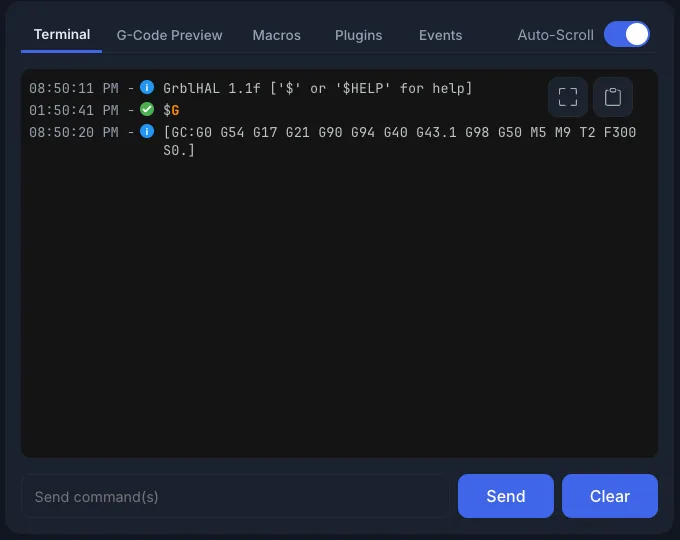
The Terminal tab shows everything sent to and received from the controller:
- Time: each line shows when it was logged.
- Status icons: a green check for accepted commands, a blue dot for info, and an error mark for problems.
- Blocked: a line ncSender refused to send is marked blocked, with the reason. For example, the safety door is open, or (Pro) the move would enter the keepout zone.
- Event G-code: lines from Program Events are labelled.
Sending Commands
Type a command in Send command(s) and press Enter. You can send more than one command at once. Use Up and Down to go back through your earlier commands.
When ncSender is not connected, the box reads Connect to CNC to send commands.
Auto-Scroll
Turn on Auto-Scroll to keep the newest lines in view. Turn it off to read older lines without the view jumping.
Larger view & quick controls
Click Open in larger view to open the terminal in a large window. It has its own Auto-Scroll switch and a Copy all terminal content button. It also has one-click quick controls, which are only in the larger view.
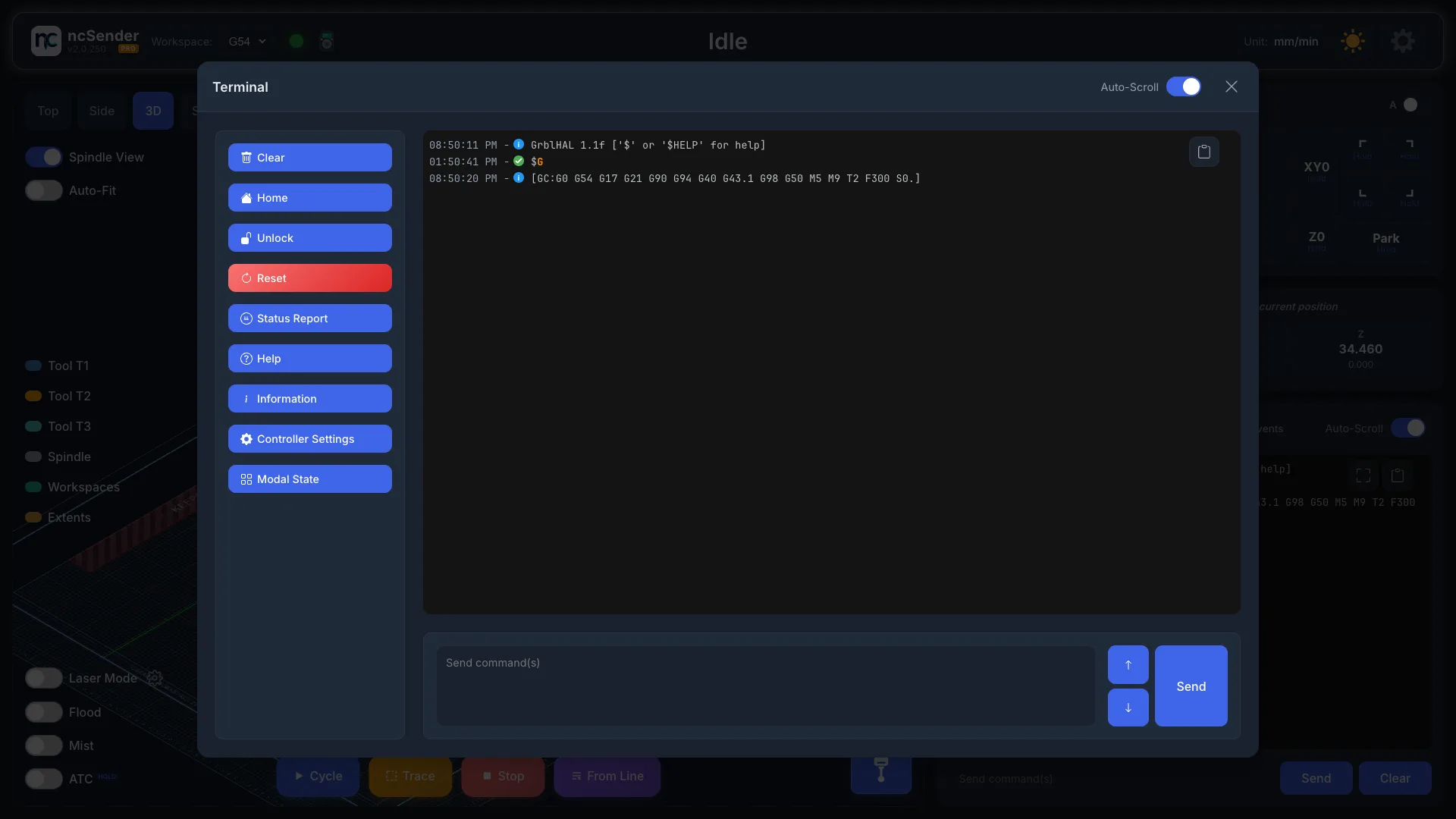
The quick controls work only while connected and Idle.
| Button | Sends | What it does |
|---|---|---|
| Clear | — | Clears the terminal (sends nothing) |
| Home | $H |
Homes the machine |
| Unlock | $X |
Clears an alarm and unlocks |
| Reset | Ctrl-X |
Resets the controller |
| Status Report | 0x87 |
Asks for a full status report |
| Help | $help |
Shows the controller help |
| Information | $I |
Shows controller build info |
| Controller Settings | $$ |
Lists all controller settings |
| Modal State | $G |
Shows the active G-code modes |
Spindle controls
The spindle buttons moved to the visualizer, where they don't cover the toolpath. See Spindle control.
Other panel tabs
The Terminal shares its panel with these tabs:
- G-Code Preview: the loaded file, with find & replace.
- Macros: your saved macros.
- Plugins: buttons added by your plugins.
- Events: G-code that runs at Program Start and Program End.