Program Events
Program events run your own G-code automatically before or after a job.
Event Types
Program Start
Runs before a program starts.
Note
Program Start does not run when you use From Line. It only runs on a full program start.
Common uses:
- Set default feed rate or units
- Turn on coolant
- Home specific axes
- Add a spindle warm-up delay
Program End
Runs after a program finishes.
Program End does not run when you stop a job. It only runs when the program reaches its last line.
Common uses:
- Return to a park position
- Turn off spindle and coolant
- Turn off auxiliary outputs
Configuring Events
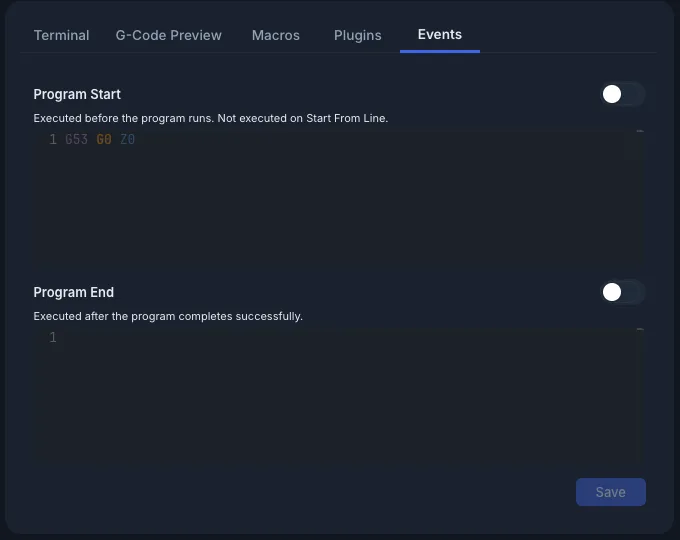
- Open the Events tab in the console panel (next to Terminal, G-Code Preview, Macros and Plugins).
- Type your G-code in the editor for each event.
- Click Save. The button stays greyed out until you change something.
Pro: the on-screen keyboard works in both event editors.
Enable/Disable Toggle
Each event has a switch next to its title. Turn it off to pause an event without deleting its G-code.
- The switch saves by itself. You don't need to click Save.
- A disabled event is greyed out.
- ncSender skips disabled events. The controller never receives them.
Seeing Events in the Terminal
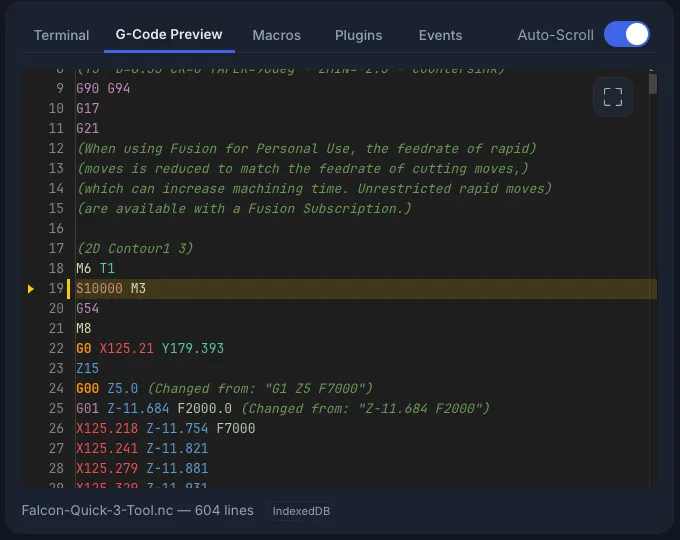
ncSender wraps the event's lines in markers in the terminal, so you can tell them apart from your program:
Program End shows (Program End Event Begin) and (Program End Event End) the same way.
If one line of an event fails, ncSender skips the rest of that event.