QuickCut
QuickCut makes G-code for everyday jobs straight from a dialog: cut a rectangle, circle or polygon, flatten a board or spoilboard, true up an edge or cut stock to size. Use it when opening a CAM program for one simple cut isn't worth it.
The dialog title shows Beta.
QuickCut replaces ToolBench
Surfacing, jointing and boring moved here from the retired ToolBench plugin. See Coming from ToolBench.
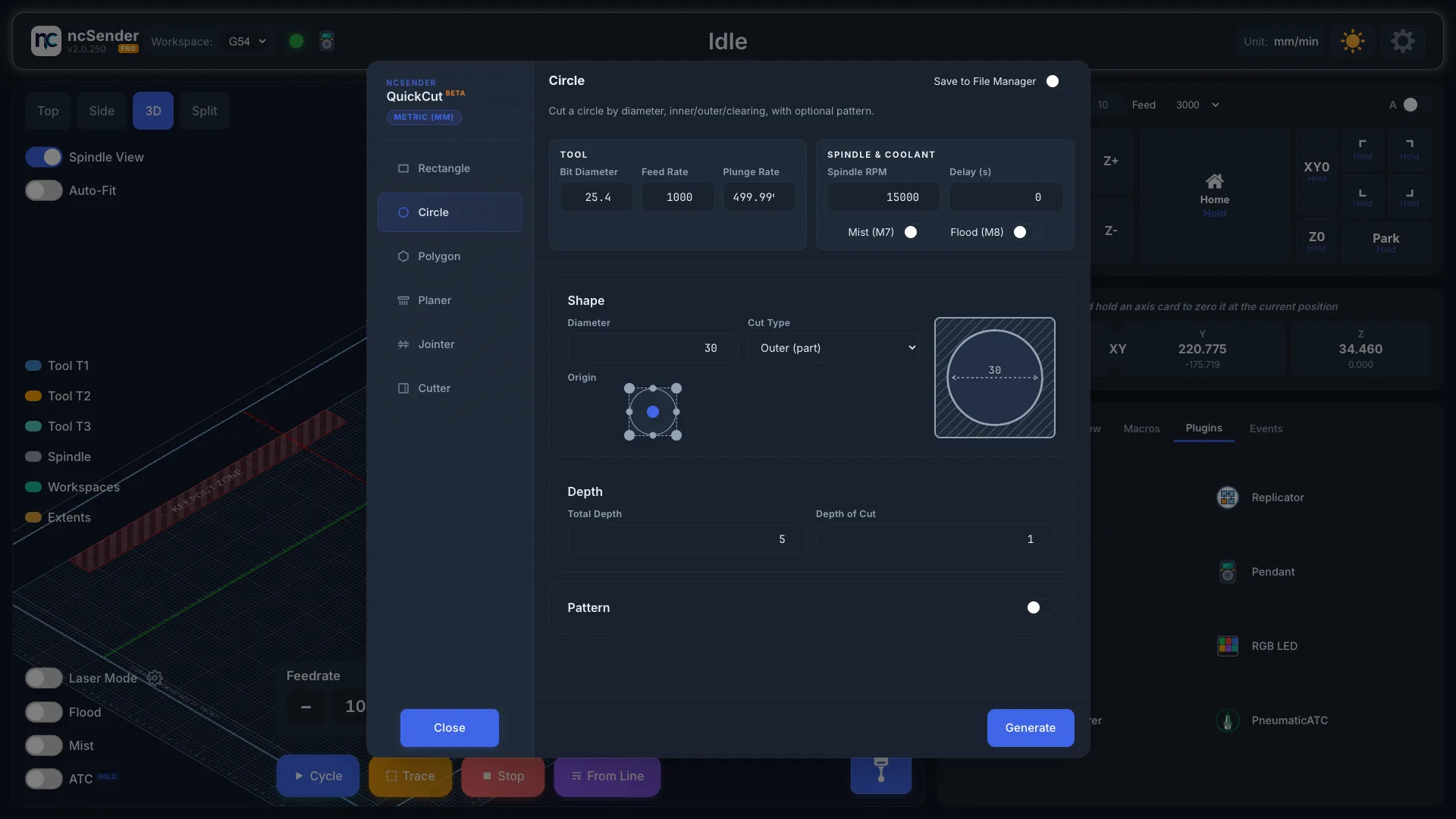
Make a cut
- Open the Plugins tab in the console area and press QuickCut.
- Pick a tab: Rectangle, Circle, Polygon, Planer, Jointer or Cutter.
- Fill in the fields.
- Press Generate.
The dialog closes and the program loads, ready to check in the visualizer and run.
Each tab remembers its values for next time.
Settings on every tab
Tool
- Bit Diameter, Feed Rate, Plunge Rate.
Spindle & Coolant
- Spindle RPM.
- Delay (s): how long to wait for the spindle to get up to speed.
- Mist (M7) and Flood (M8): turn coolant on for the job.
Depth
- Total Depth: how deep to cut in total.
- Depth of Cut: how deep each pass goes.
QuickCut uses your ncSender units (mm or inches) and your Safe Z height.
Shapes: Rectangle, Circle, Polygon
| Shape | Fields |
|---|---|
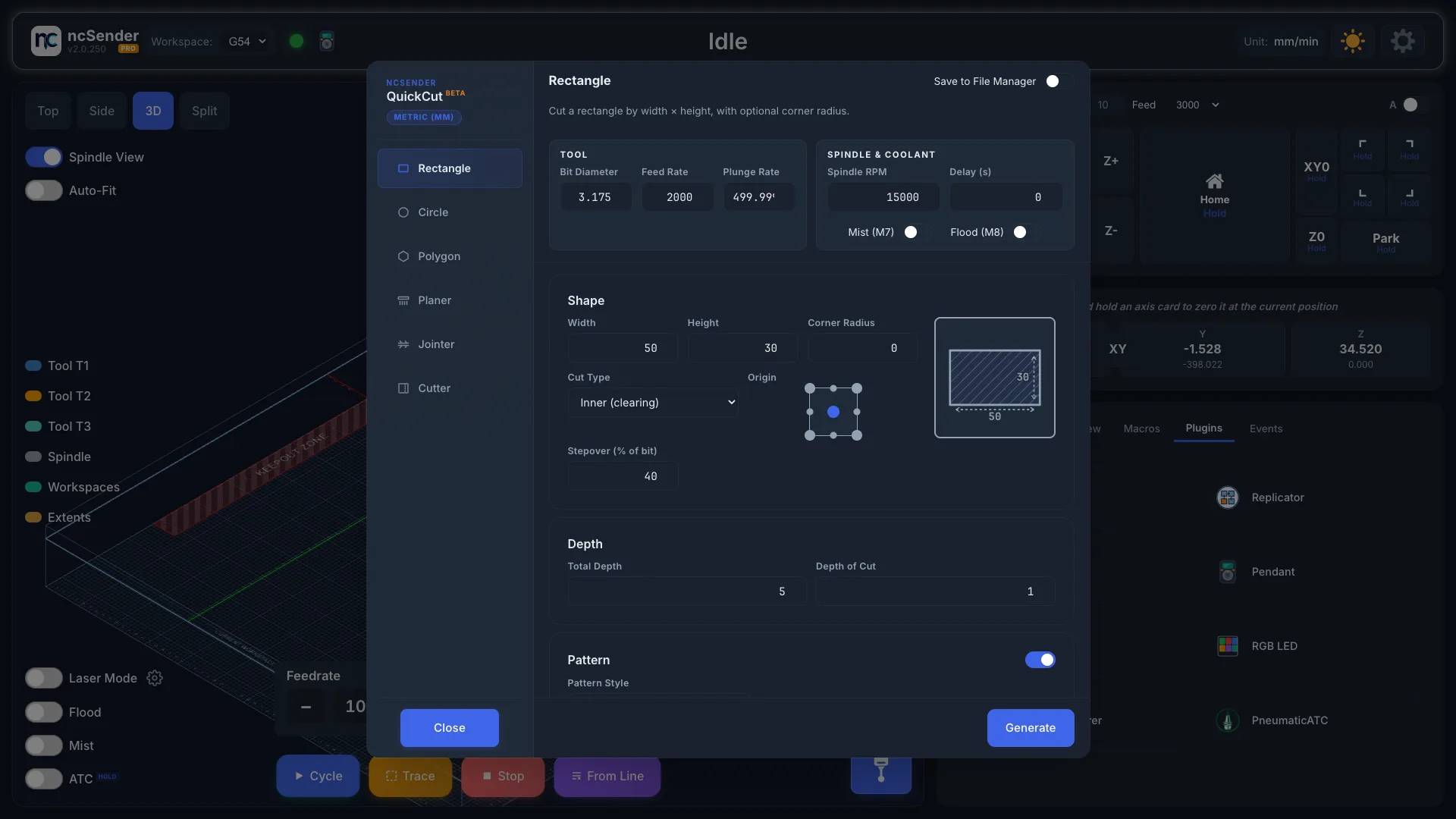
| Rectangle | Width, Height, Corner Radius (0 for sharp corners) |
| Circle | Diameter. Circles are cut with a spiral entry and a final clean-up pass. |
| Polygon | Sides (3 to 12), Diameter (corner to corner), Start Angle (°) to turn the shape |
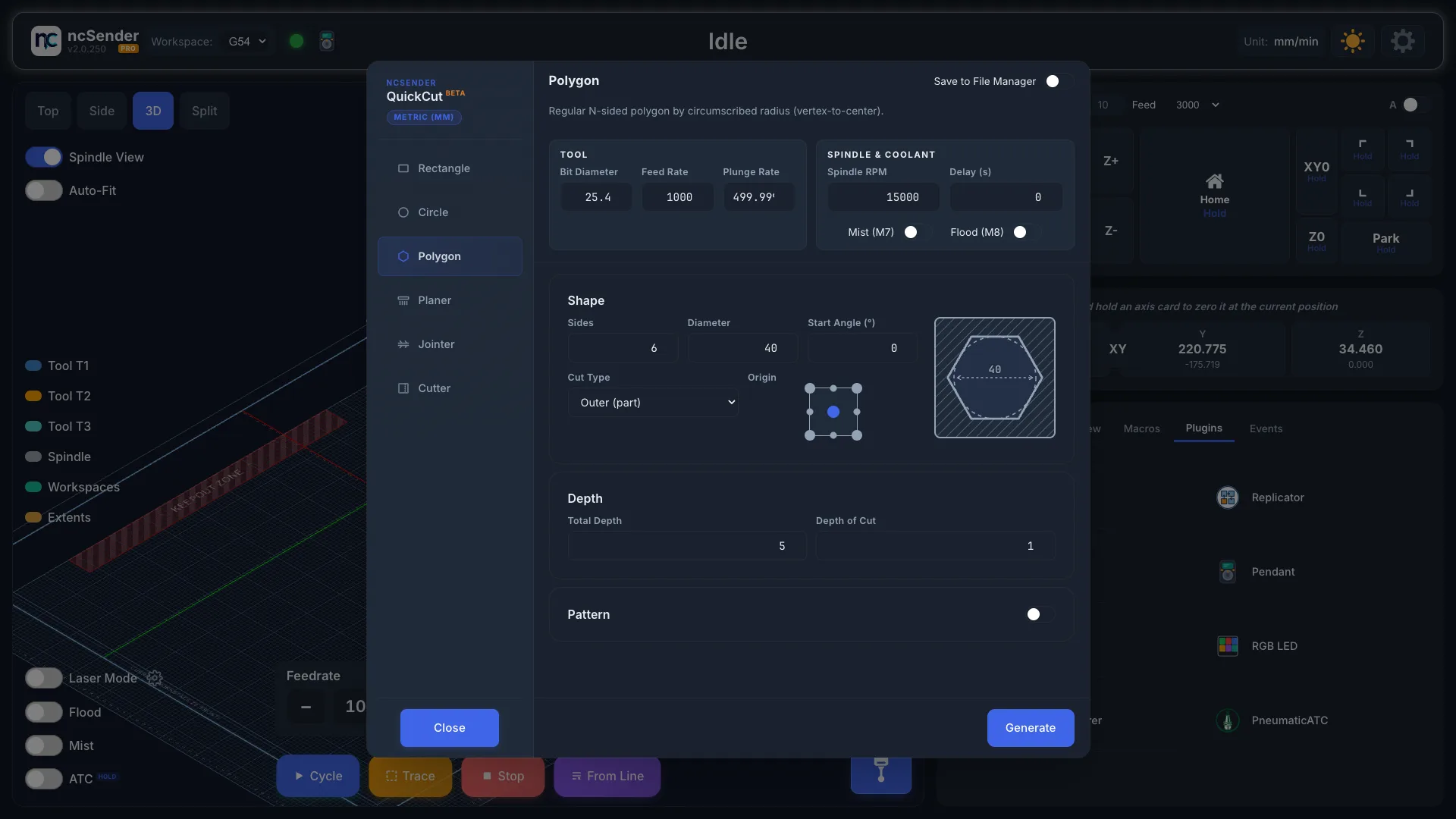
Cut Type
This decides what is left in the middle.
| Cut Type | What it does |
|---|---|
| Inner (perimeter) | Cuts just inside the line. On a through cut the middle falls out as one piece. |
| Inner (clearing) | Clears the whole inside, so a pocket comes out flat-bottomed. |
| Outer (part) | Cuts just outside the line, freeing the shape from the stock. |
If a hole comes out with a post in the middle, you picked Inner (perimeter) where you wanted Inner (clearing).
Stepover (% of bit) sets how far the bit moves over on each lap when clearing.
Origin
Pick where work zero sits on the shape. The origin applies to the whole program, including every copy in a pattern, not just the first shape.
Pattern
Turn on Pattern to cut several copies in one program, then pick a Pattern Style.
| Pattern Style | Layout | Fields |
|---|---|---|
| Linear | Rows and columns | X Count, Y Count, X Distance, Y Distance. Use a negative distance to go the other way. |
| Honeycomb | Rows shifted by half a step, like a honeycomb | Same as Linear, plus Symmetric Ends |
| Circular (Identical) | Around a circle, every copy facing the same way | Count, Radius, Start Angle (°) |
| Circular (Path Direction) | Around a circle, each copy turned to follow the circle | Count, Radius, Start Angle (°) |
Symmetric Ends drops one copy from each shifted row so both ends of the honeycomb line up.
On the Circle tab there is a single Circular style, because a turned circle looks the same.
Planer
Flatten an area of stock, or your whole spoilboard.
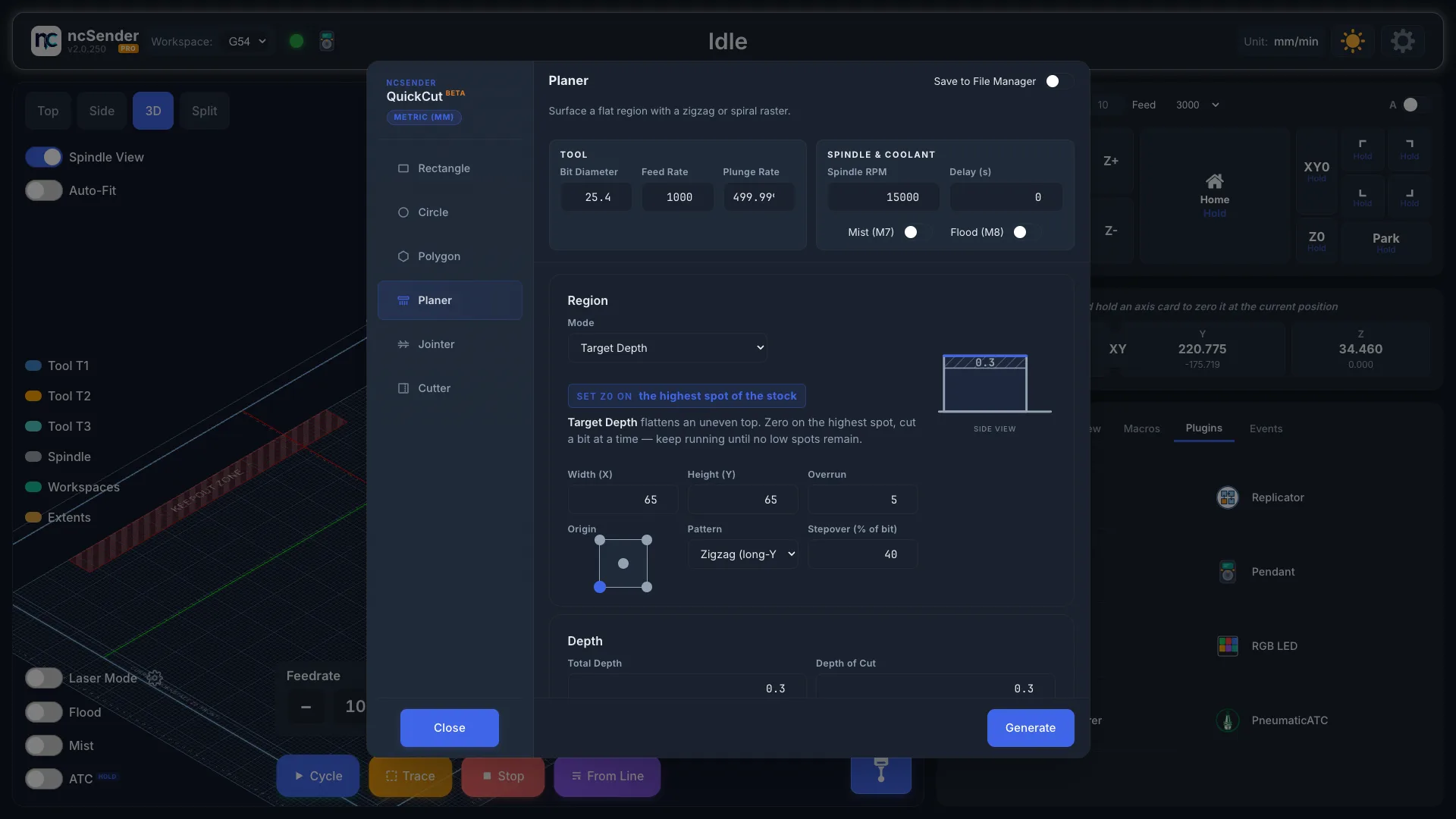
Pick a Mode:
| Mode | Set Z zero on | Use it to |
|---|---|---|
| Target Depth | Top of the stock | Take a set amount off the top |
| Target Thickness | Spoilboard (bottom of the stock) | Mill the stock down to a finished thickness. Enter the Starting Thickness. |
| Wasteboard Surfacing | Top of the spoilboard | Flatten the whole machine bed |
Wasteboard Surfacing reads your machine's travel from the controller and covers the whole work area, so there is no size to enter.
For the other modes, set:
- Width (X) and Height (Y): the area to flatten.
- Overrun: how far past the edges to go, for a clean edge.
- Origin: where work zero is on that area.
- Pattern: Zigzag (long-Y), Zigzag (long-X) or Spiral (outside-in).
- Stepover (% of bit).
The side-view picture shows where Z zero is. Check it before you press Generate: Target Depth and Target Thickness measure from opposite faces of the stock.
Jointer
Cut a straight, clean edge on rough stock.
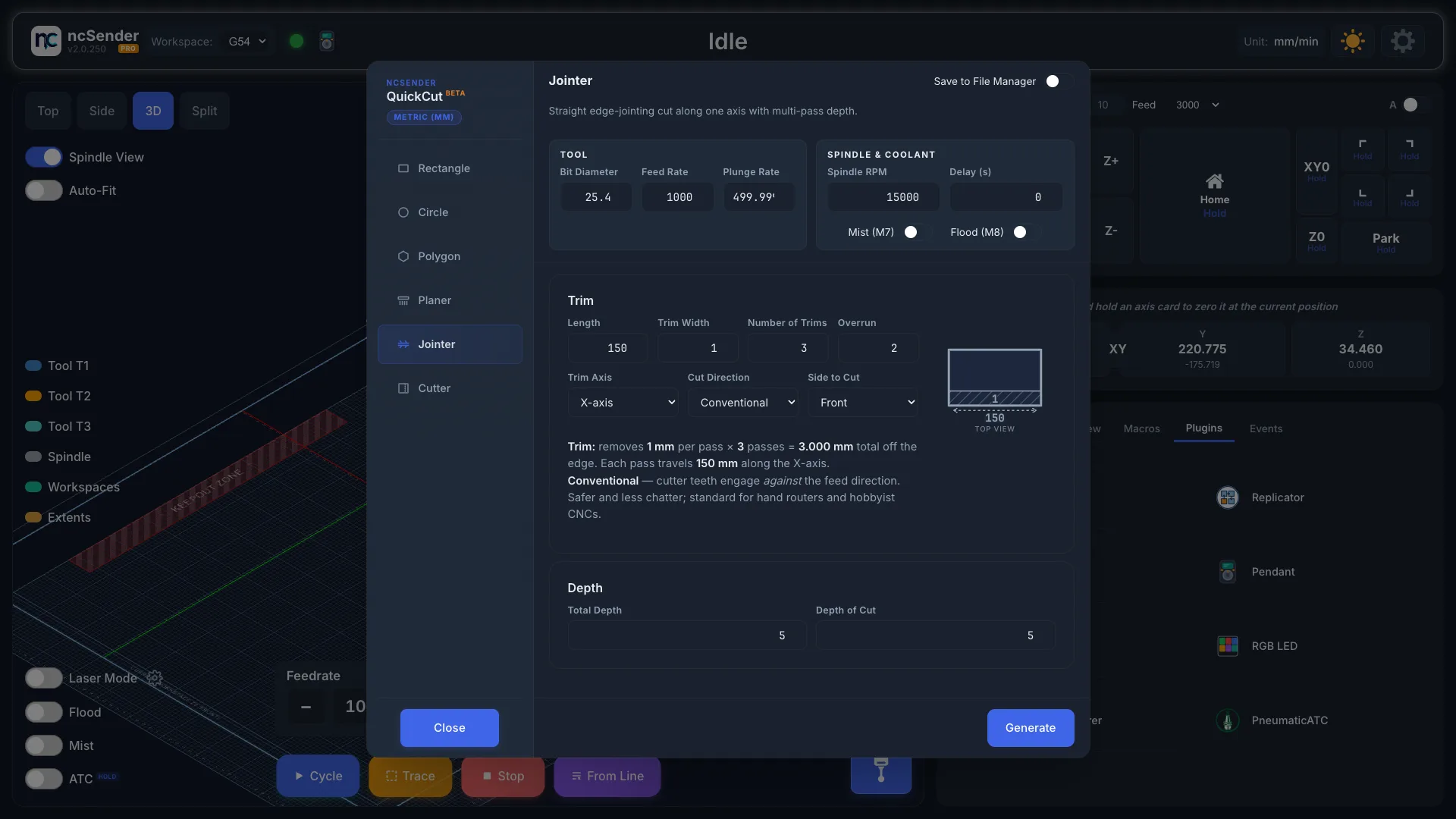
- Side to Cut: Front, Back, Left or Right.
- Trim Axis: X-axis or Y-axis, the direction the edge runs.
- Length: how long the edge is.
- Trim Width: how much each trim takes off the edge.
- Number of Trims: how many trims to take.
- Overrun: how far past each end to go.
- Cut Direction: Conventional or Climb. Every pass cuts the same way.
The top-view picture shows the cuts before you generate.
Cutter
Cut stock to an exact size along one axis. QuickCut allows for the bit width so the piece you keep is the size you asked for.
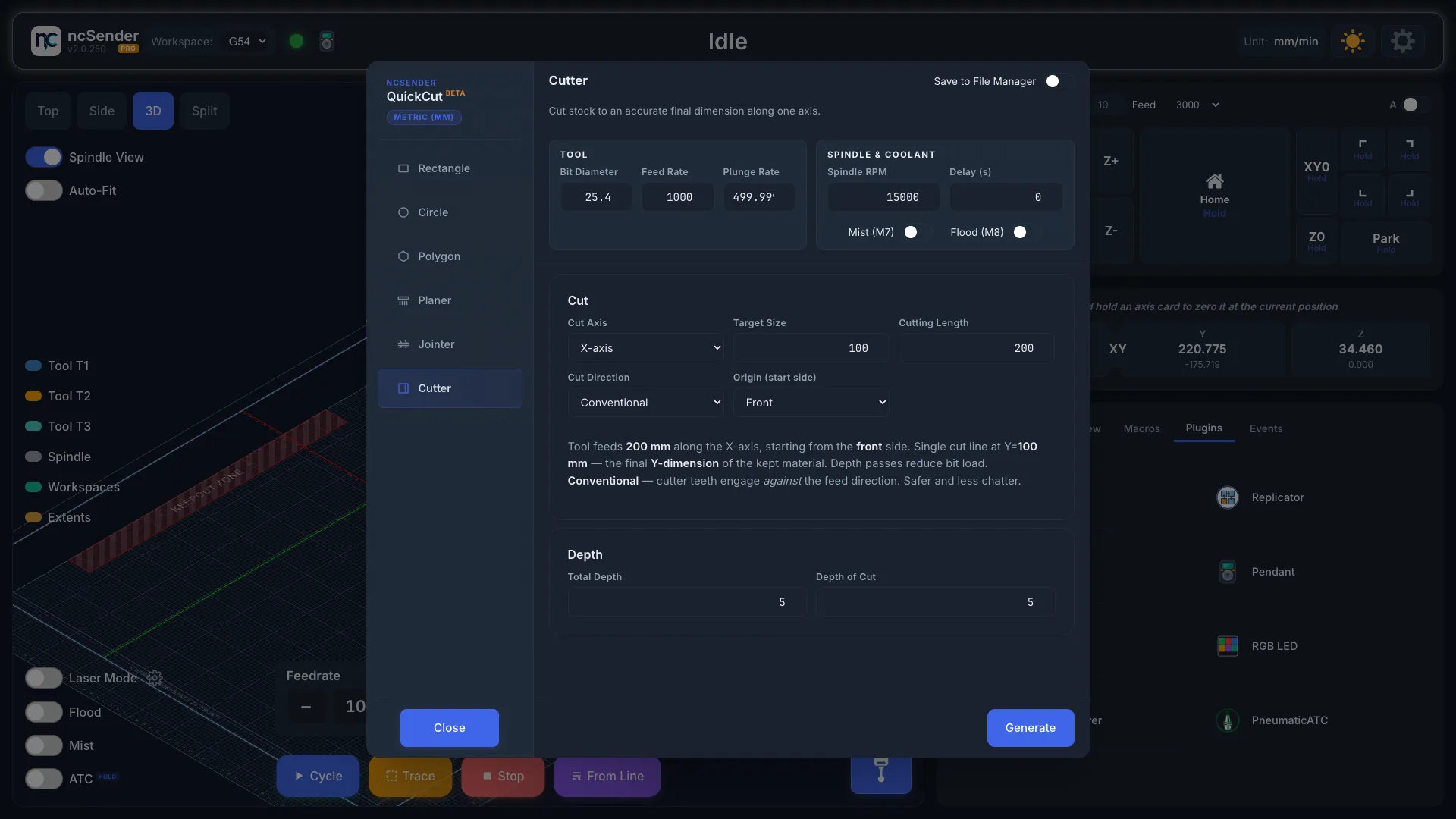
- Cut Axis: X-axis or Y-axis.
- Target Size: the finished size of the piece.
- Cutting Length: how long the cut is.
- Cut Direction: Conventional or Climb.
- Origin (start side): Front, Back, Left or Right.
The cut is taken in several passes, set by Total Depth and Depth of Cut.
Coming from ToolBench
QuickCut's Planer, Jointer and Cutter replace the ToolBench operations. Two things work differently:
- Boring is now Circle. A bored hole is a Circle with Inner (perimeter). A flat-bottomed pocket, which ToolBench could not make, is Inner (clearing).
- Origin covers the whole program. In ToolBench, a centre origin placed a bore pattern evenly around work zero. In QuickCut the origin applies to everything generated, pattern included.