RGB LED
The ncSender RGB LED is a wireless light strip that shows your machine state: green while a job runs, red on an alarm, teal while probing, and a small light show when a job finishes. Once it is paired, it works on its own. There's no G-code to add.
Hardware
- A wireless controller driving a 12 V WS2811 RGB LED strip. No other strip type is supported.
- A 24–48 V power supply for the controller, sized to your strip length. The controller powers the 12 V strip itself.
- Pairs with the Wireless USB →, the same one the pendant and AutoDustBoot use.
Wireless USB is required
The RGB LED only talks to ncSender through the Wireless USB →. Without a paired Wireless USB, the strip won't show machine state.
Getting connected
- Plug the Wireless USB into the computer running ncSender.
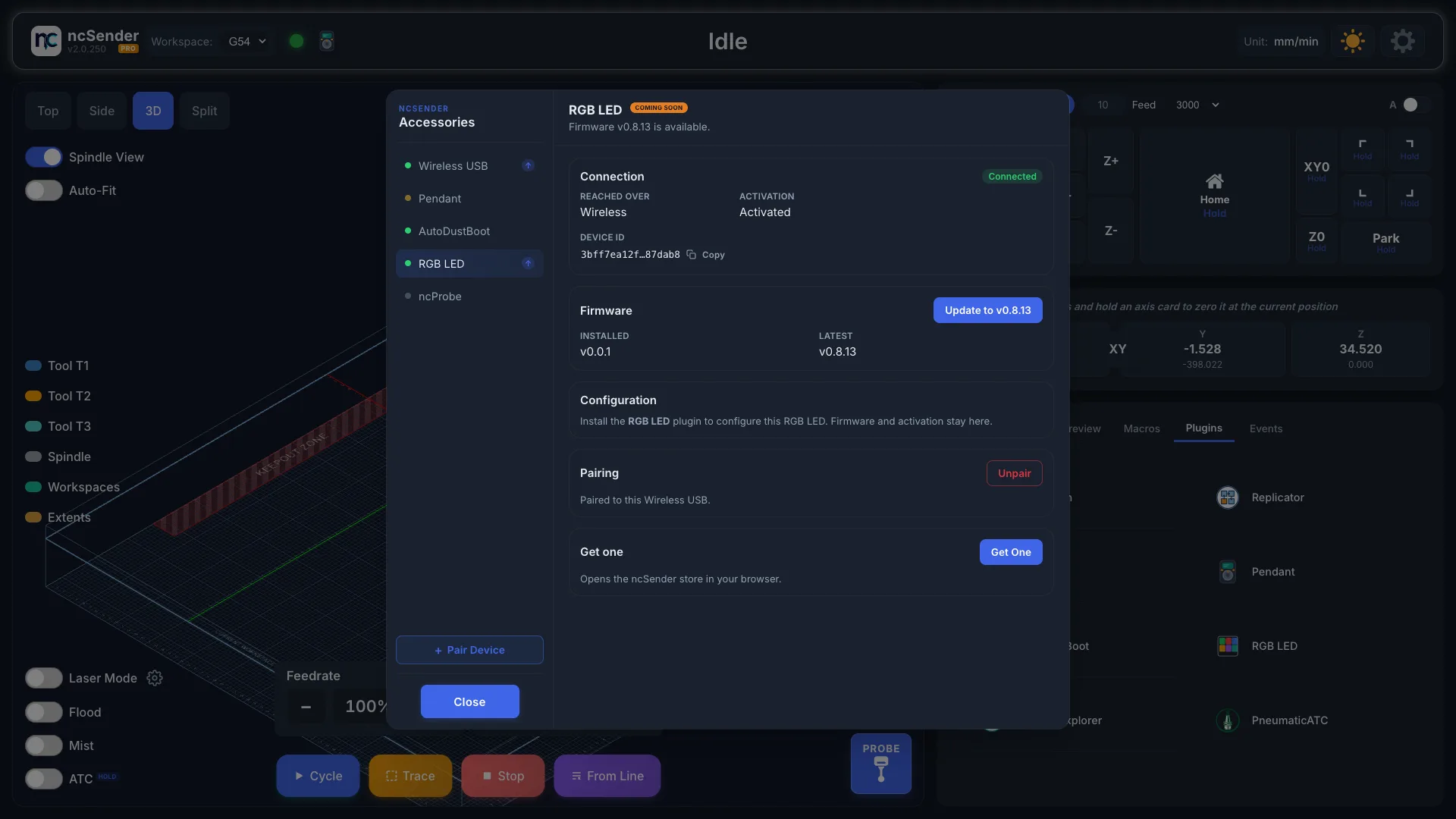
- In ncSender, open Accessories (the pendant icon in the toolbar) and click Pair Device. You have 60 seconds.
- Power on the RGB LED controller.
- Select RGB LED in Accessories. It shows Connected.
- If it shows !, click Activate. See Wireless USB →.
The plugin
Install it from Settings → Plugins → Install Plugin, and choose RGB LED (Beta). Then open RGB LED from the Tools menu.
The plugin changes how the strip looks. Firmware updates and activation are in Accessories.
Status
See what the strip is showing and set it up.
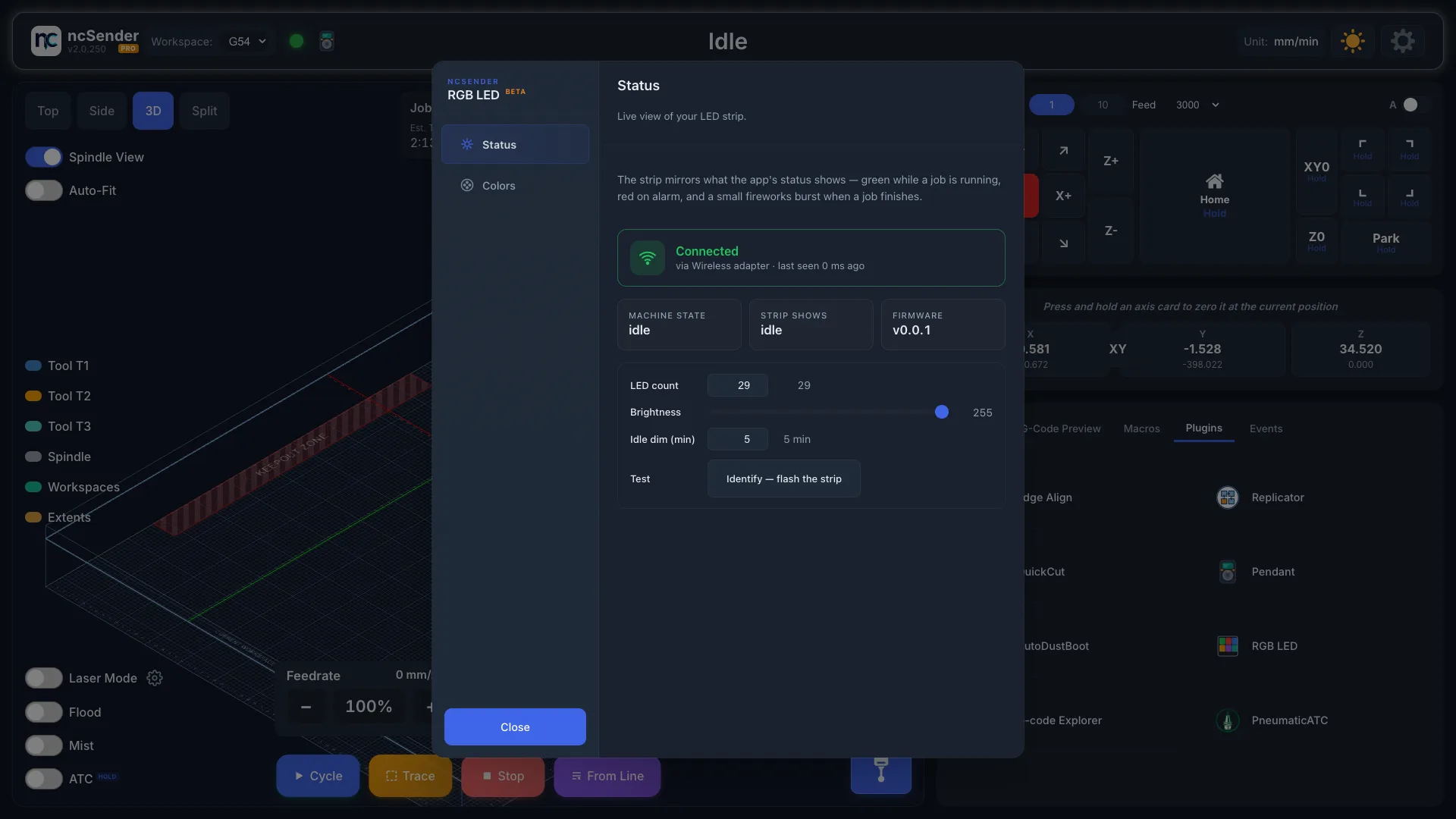
- Pair New Device — opens the same 60-second pairing window as Pair Device in Accessories.
- Machine State / Strip Shows / Firmware — what the machine is doing, what the strip is showing, and the controller's firmware version.
- LED count — the number of LEDs on your strip. Change it if you shorten or extend the strip.
- Brightness — overall brightness. Kept on the controller.
- Idle dim (min) — minutes without a state change before the strip dims.
Any state change brings it back. Set to
0to turn off. - Identify — flashes the strip so you can tell which controller it is.
Colors
Choose what the strip does for each machine state.
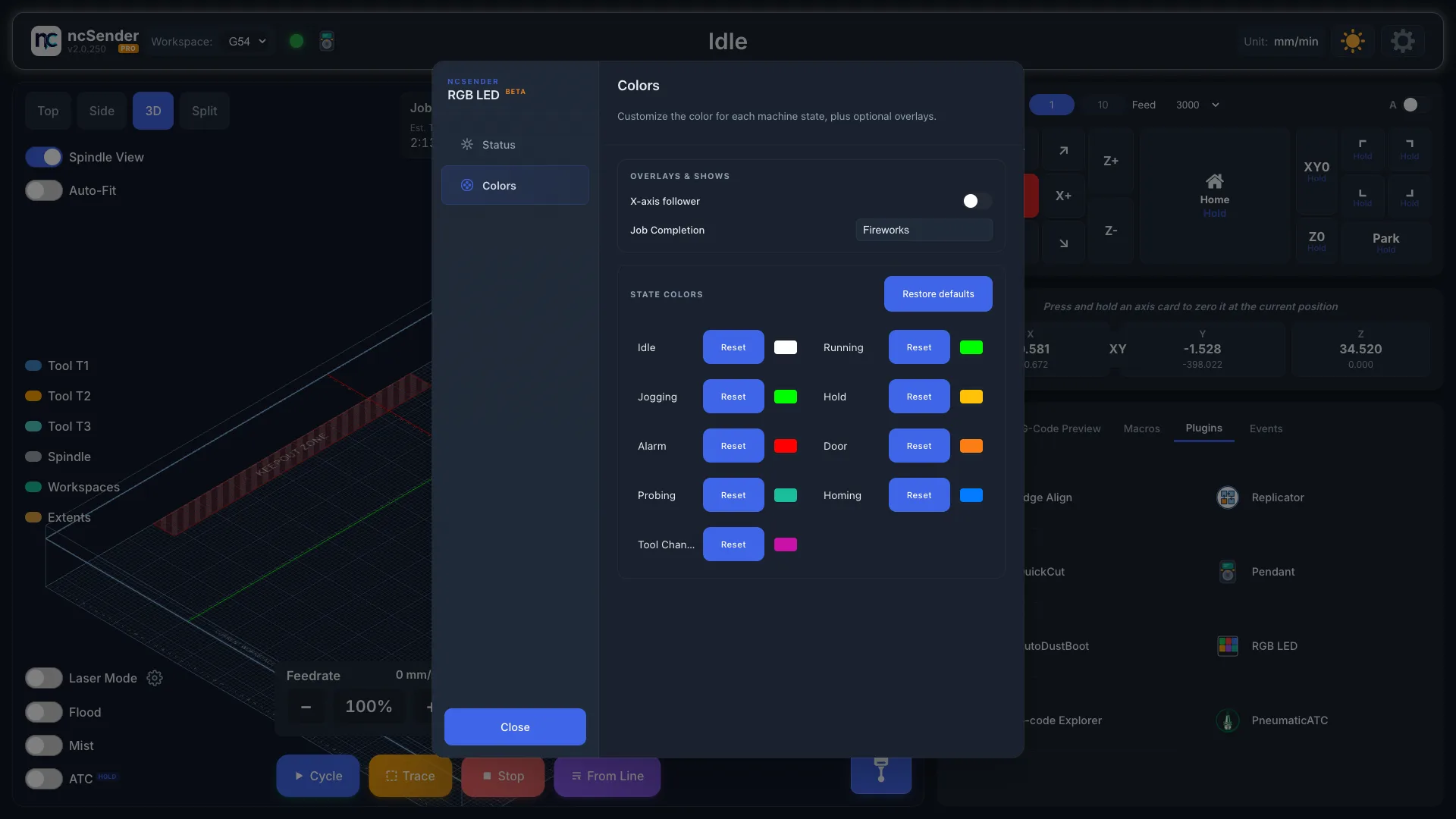
Overlays & Shows
- X-axis follower — adds a small group of lights that follows the spindle's X position.
- Job Completion — the light show played when a job finishes. Fireworks is the default. After a few seconds the strip returns to its normal colour.
State Colors
Pick a colour for each state: Idle, Running, Jogging, Hold, Alarm, Door, Probing, Homing and Tool Change. Click a colour to change it. Reset returns one state to its default. Restore defaults resets them all.
Colours are kept on the controller, so they survive restarts and go with the strip to another machine.
Firmware updates
- Open Accessories and select RGB LED.
- Click Update to v… in the Firmware card.
- Keep the controller powered and in range until it finishes.
The RGB LED always updates wirelessly. If an update is interrupted, the current firmware keeps working. Just start again.
Troubleshooting
- Strip stays dark. Check the controller has its 24–48 V supply connected. The controller can show as paired and working while the strip gets no power. Also check that LED count on the Status tab matches your strip.
- Wrong colours (green looks turquoise, red looks pink). The RGB LED only works with WS2811 strips. Other strip types show the wrong colours.
- A colour change doesn't stick. Pick the colour again.
- Strip freezes on one colour. Power-cycle the controller. If it keeps happening, open Accessories and check RGB LED shows Connected. When the link drops, the strip keeps its last colour.