Tips & Tricks
ncSender shows a short tip each time it starts: a gesture you might not have found yet, a feature worth knowing about, or a shortcut. Most tips come with a short looping video of the feature in action.
At startup
The dialog appears a moment after the interface loads. On the very first launch it stays out of the way so the Machine Setup Wizard can run instead.
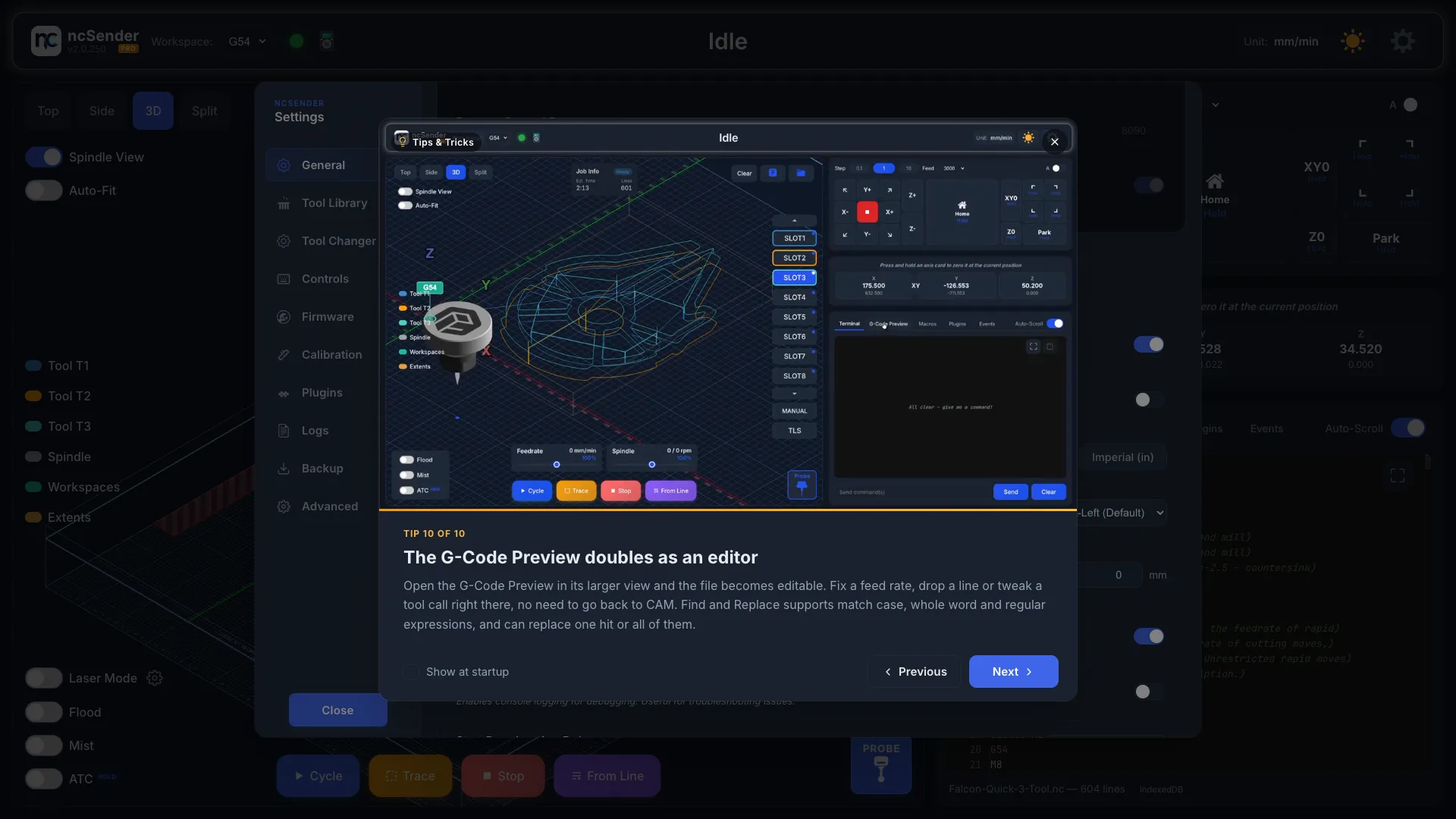
- Previous and Next move through the set, wrapping around at either end. The left and right arrow keys do the same.
- The caption reads Tip N of M, and the progress bar shows how far through the set you are.
- Each launch opens on the tip after the one you last saw, so you see every tip once before the set starts over.
Turning it off
Untick Show at startup in the dialog footer, or open Settings → General → Application Settings and turn off Tips & Tricks at Startup. The same row has a Show tips now link to open the dialog on demand.

Where the tips come from
A handful of tips ship inside the app so the dialog works on a machine that has never been online. New tips are published in the public ncSender.tips repository and downloaded in the background, so they appear without an app update. Videos and images are cached on disk after the first view and keep playing offline.
Tips marked Pro describe a feature of ncSender Pro. On the community edition they are still shown, with a note that the feature is part of Pro.