Replicator
Replicator repeats the loaded program in a grid, so you can cut several copies of a part in one job.
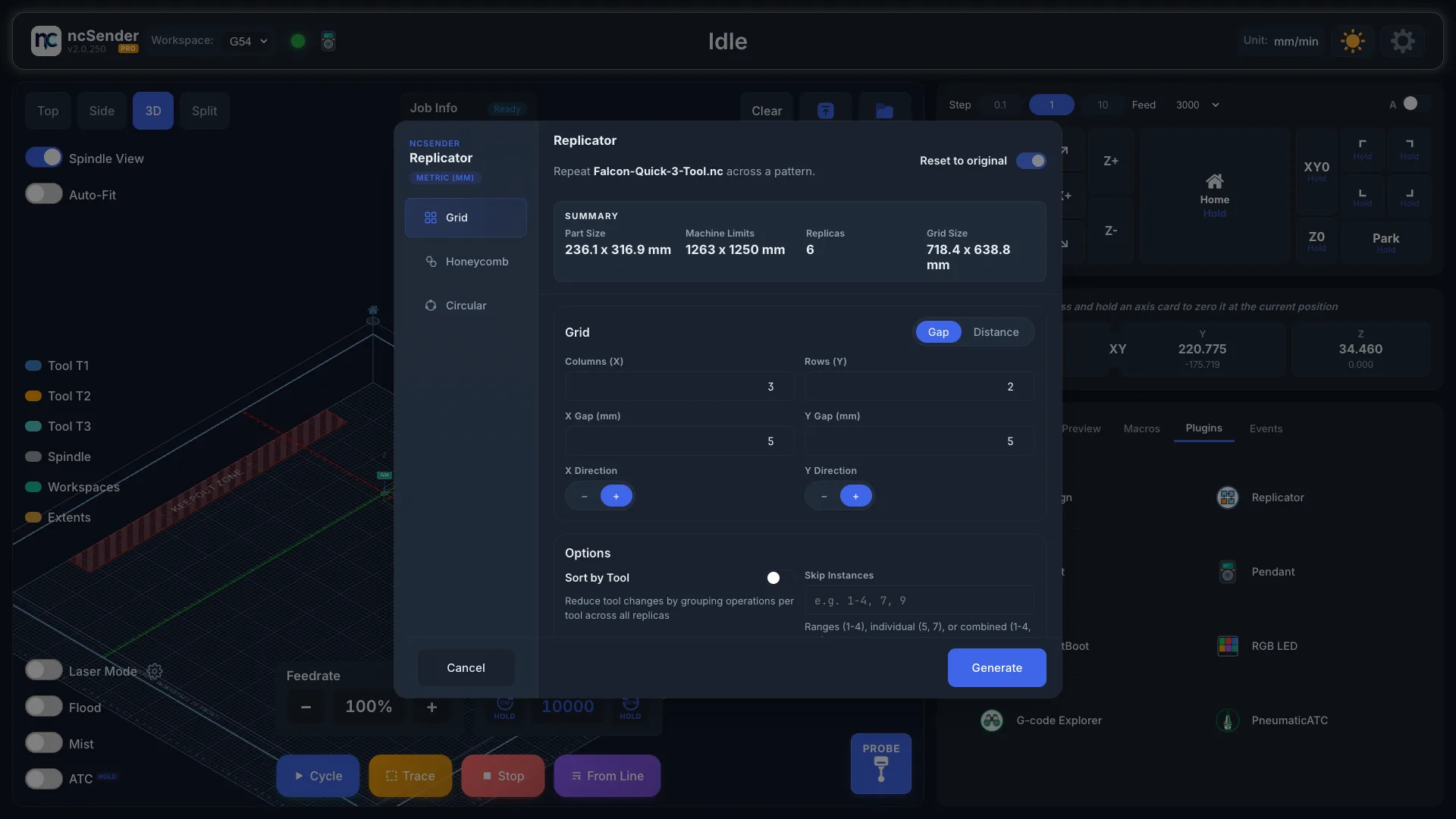
Make copies
- Load your program. Without one, Replicator shows No G-Code Program Loaded.
- Open the Plugins tab in the console area and press Replicator.
- Under Configuration, set:
- Columns (X) and Rows (Y): how many copies in each direction.
- X Direction and Y Direction: which way the grid grows from the original.
- X Gap and Y Gap: the space between parts, edge to edge.
- Optional settings:
- Sort by Tool: cuts every copy with one tool before switching to the next tool, so there are fewer tool changes.
- Skip Instances: leave out some copies, for example where the stock
is damaged. Type numbers or ranges, such as
1-4, 7, 9.
- Check the Summary: part size, machine size, total copies, skipped copies and grid size.
- Press Generate.
The new program loads. Replicator always starts from your original file, so you can open it again and change the grid.
Troubleshooting
- "Grid size exceeds machine limits!" The grid is bigger than your machine. Use fewer rows or columns, or smaller gaps.
- "Negative gap will cause parts to overlap." Set the gap to 0 or more.
- A Skip Instances number is refused. It is higher than the total number of copies.