Virtual Keyboard
Pro Feature
Virtual Keyboard is available in ncSender Pro only.
An on-screen keyboard for kiosk and touch screen setups with no physical keyboard.
Features
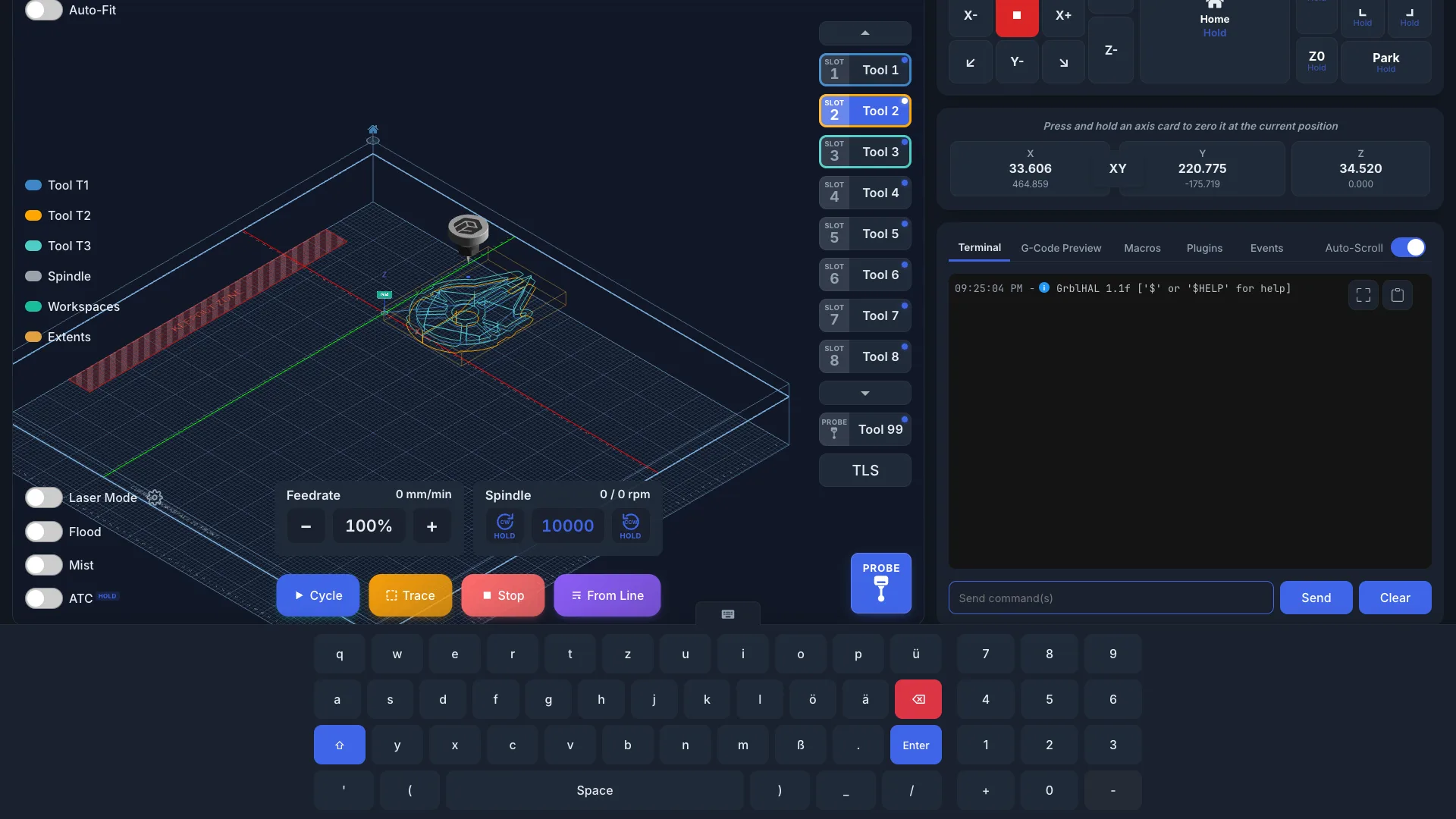
- Regional layouts: 16 letter layouts, including QWERTZ and AZERTY, with regional characters.
- Shift: hold Shift for the second character on dual keys.
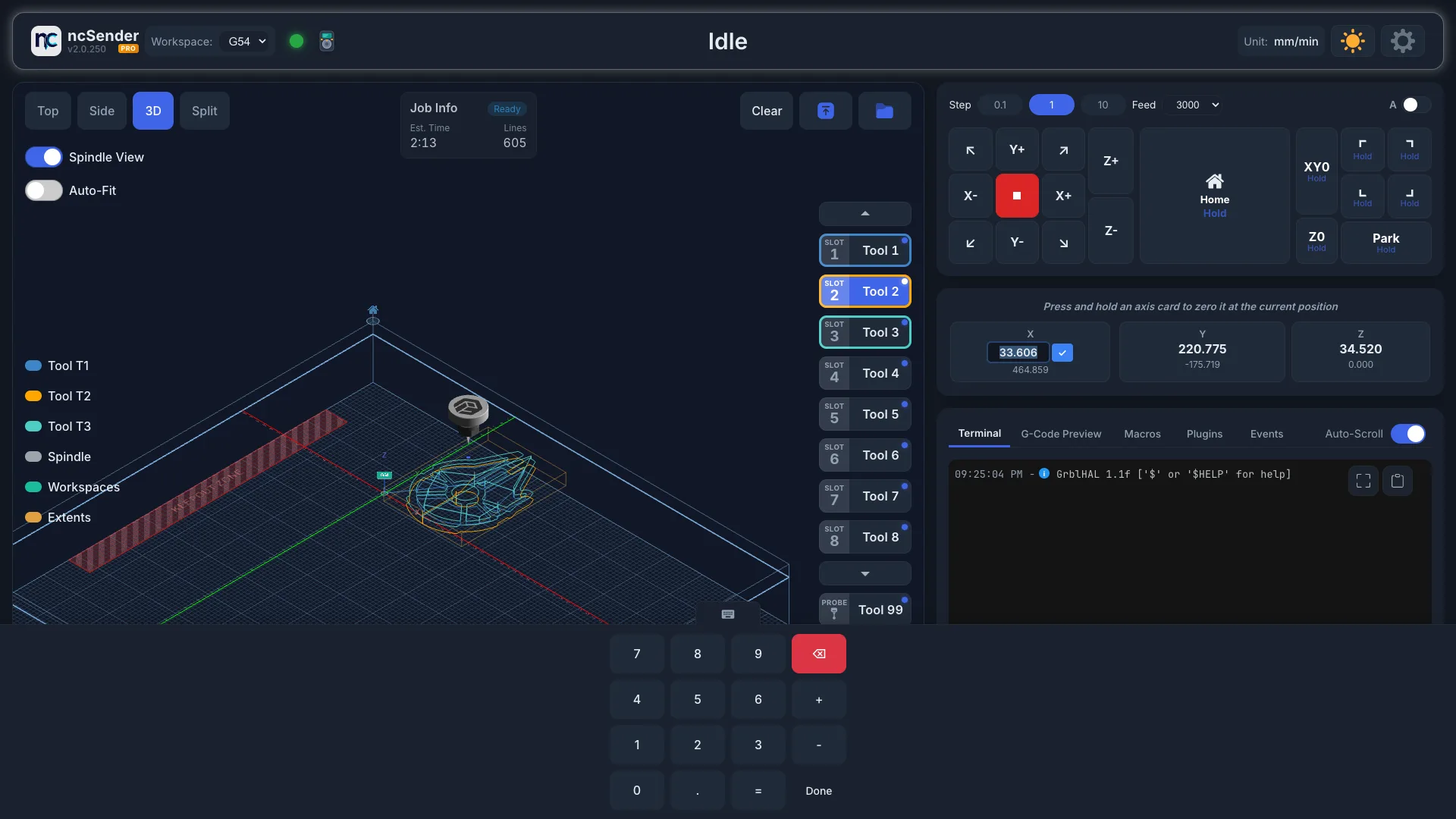
- Number pad: opens by itself for number fields, such as coordinates and settings.
- Opens by itself: appears when you tap a text field or code editor.
- Touch-friendly: sized for fingers.
The keyboard doesn't open for read-only fields, checkboxes, sliders, file pickers or color pickers.
Supported Inputs
The virtual keyboard works with:
- Console command input
- Coordinate entry (DRO double-click)
- Settings inputs
- Macro editor
- Program Start and Program End event editors
- Plugin dialog inputs and plugin code editors
Hide and Reopen
- Tap the tab on top of the keyboard to hide it.
- While a field still has focus, a small keyboard tab stays on screen. Tap it to bring the keyboard back.
- After you hide it, the keyboard stays hidden until you tap a different field.
Choose a Layout
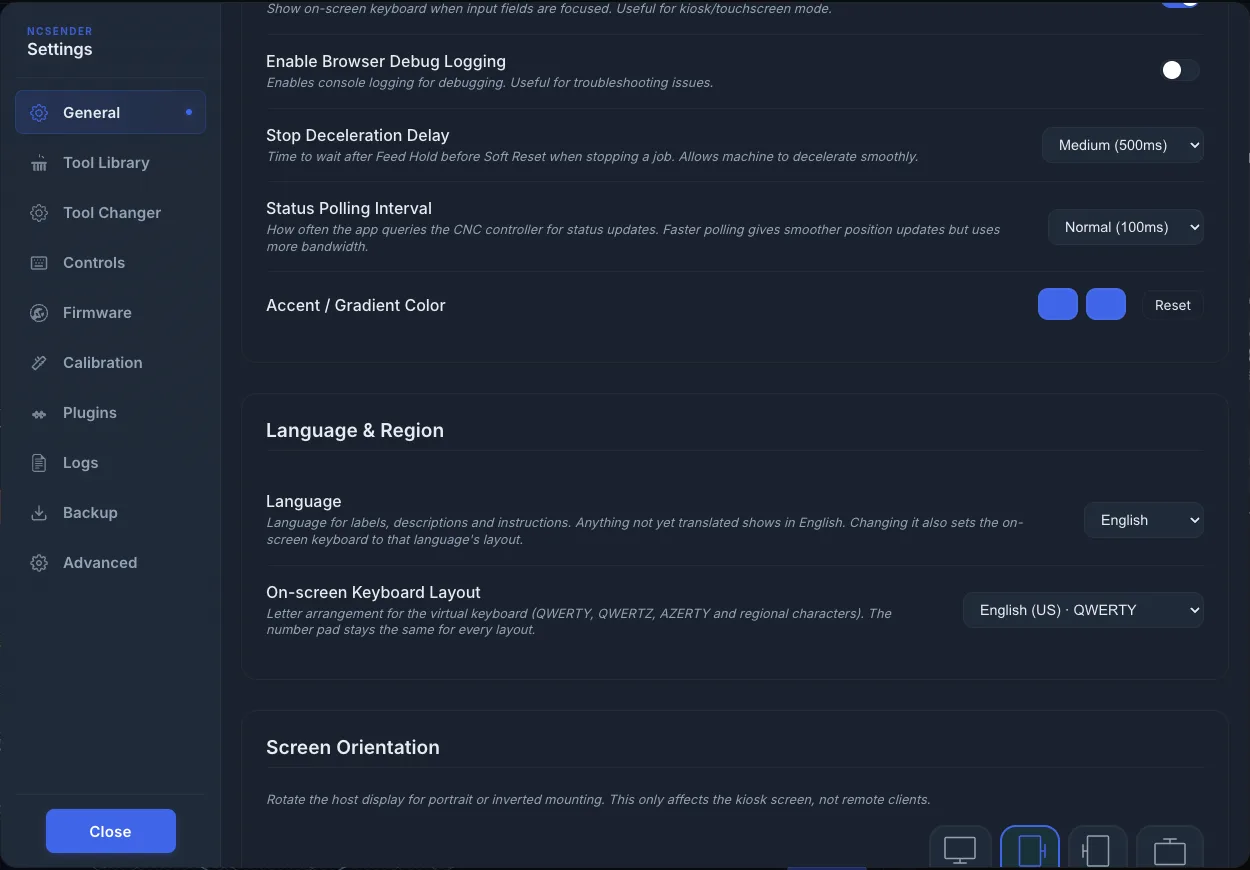
- Open Settings → General.
- Scroll to Language & Region.
- Pick a layout in On-screen Keyboard Layout.
Available layouts:
- English (US) · QWERTY (default)
- English (UK) · QWERTY
- Deutsch · QWERTZ
- Deutsch (Schweiz) · QWERTZ
- Français · AZERTY
- Español · QWERTY
- Italiano · QWERTY
- Português (Brasil) · QWERTY
- Svenska · QWERTY
- Norsk · QWERTY
- Dansk · QWERTY
- Suomi · QWERTY
- Nederlands · QWERTY
- Polski · QWERTY
- Čeština · QWERTZ
- Türkçe · QWERTY
Regional layouts add characters such as ü ö ä ß, é è à ç and £. The number pad is the same for every layout.
Changing Language also sets the matching layout. You can still pick a different layout afterwards. The Space, Enter and Done keys follow the language. See Language & Region.
Settings
Turn the virtual keyboard on or off in Settings → General → Application Settings → Virtual Keyboard.
Turn it off when a physical keyboard is connected, so it doesn't pop up.